Knowledge Base Article
How to Track Volunteer Groups and Assignments
A volunteer group is a standing body of volunteers: a committee, a chapter, a crew. Open Volunteerism > Volunteer Groups. You need Volunteer Manager or Master Admin.
Do not confuse it with Volunteer Task Groups, which sits in the same menu and does a different job. Task groups organize the work; volunteer groups organize the people.
Creating one
- Click Add New. Group Name and Active Date are required.
- On the group, fill in Group Description, Group Status and Group Category.
- Name the Team Member Sponsor/Owner, the staff member the group answers to. This is a staff role, separate from the volunteer roles below.
- Set Chapter, Division and Department if you use them.
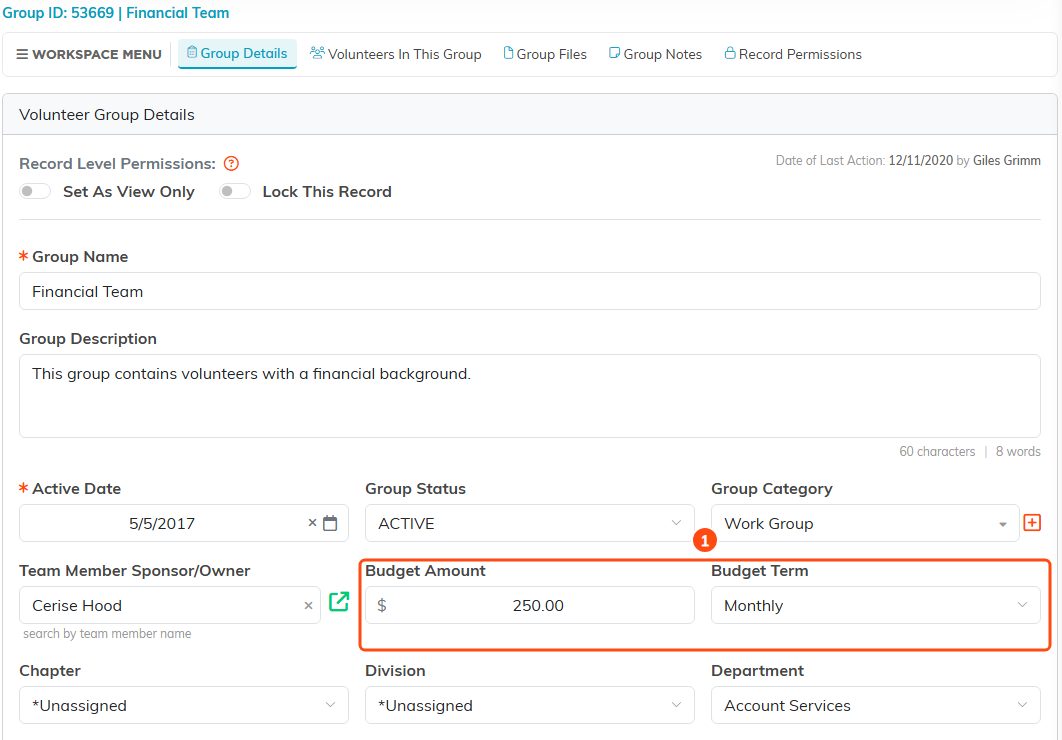
The group's own details, with the budget fields marked.
A group can carry a budget
There is a Budget Amount and a Budget Term on the group, which is worth knowing because it changes what these are for. A volunteer group here can be a body with its own money and its own officers, not just a list of names for scheduling.
Adding volunteers
Open Volunteers In This Group and add people one at a time. Three things are required for each: the Volunteer, an Active Date, and a Role in The Group.
The roles are Group Leader, Group Treasurer, Group Secretary, Facilitator, Instructor, Participant and Coordinator. Since the role is required, decide what it means in your organization before you start adding people, or you will get seven groups using the seven words differently.
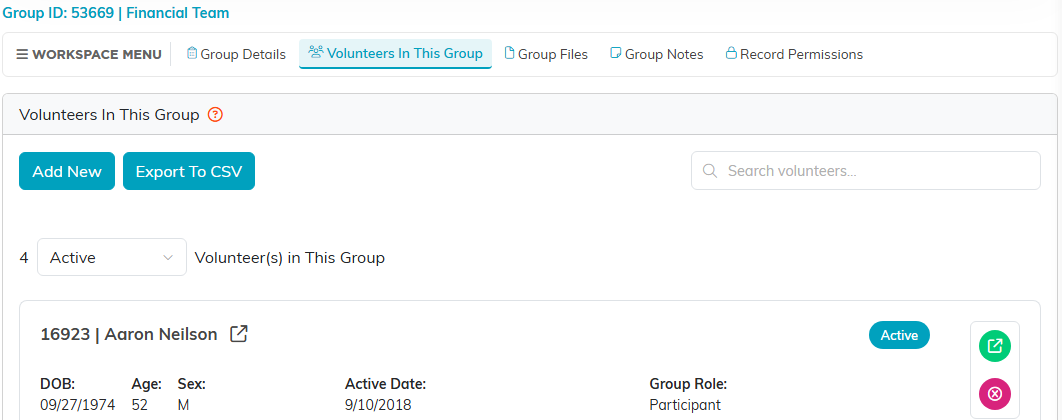
Volunteers In This Group: add people here, and each one shows their Group Role.
Getting hold of the group
The members list shows each person's email address as a link you can click, and the list exports with the addresses in it. There is no send-to-the-whole-group button here, so for an actual mailing, work from the export or put the group on a mail room list.
The Volunteer Group Members Report in the Report Center gives you the rosters across all your groups at once.
Files and notes
Each group has its own Group Files and Group Notes pages, plus Record Permissions. Terms of reference, minutes and anything else belonging to the group live on the group.
