Knowledge Base Article
How to Manage Household and Family Relationships
Argenta records relatives in two different places, and they are not interchangeable. Pick the one that matches what you need to do with the person.
Family: names on this record
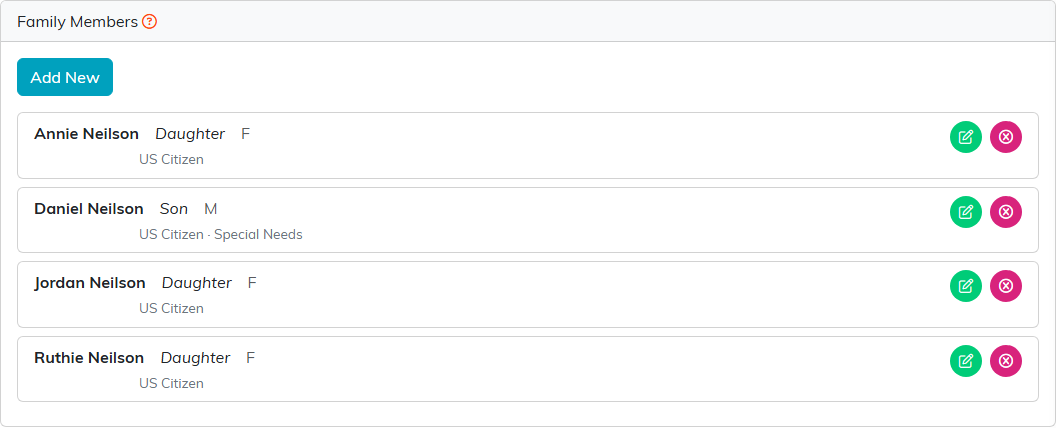
The Family page holds people typed straight onto the constituent, such as a spouse, children or dependents. They are not constituents, so they get no record of their own, cannot be searched for and cannot be emailed.
- Open the constituent and click Family in the workspace menu.
- Click Add New.
- Fill in the form. First Name and Last Name are required and everything else is optional.
- Click Add.
Alongside the name you can record Relationship, Sex, Date of Birth, US Citizen, Veteran, Special Needs and a description of it, Race, Marital Status, Education Level and Employment Status. Use the green edit icon on a row to change it and the pink delete icon to remove it.
Associated Household: linking two real records
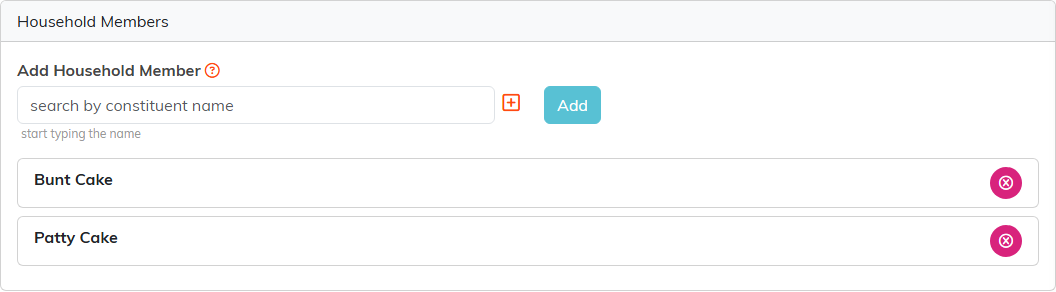
The Associated Household page links this record to another existing constituent, so you search for the person rather than typing a name. Both people keep their own record, their own history and their own giving. Nothing is combined, and this is not the same as merging duplicates.
- Open the constituent and click Associated Household.
- Start typing a name in Add Household Member and pick the person.
- Click Add.
Remove someone with the pink icon on their row. If the person is not in Argenta yet, use the plus icon beside the Add Household Member box to add them as a constituent.
Creating a household record
- On the Constituents list, click Add A New Constituent.
- Choose A Household.
- Give it a Household Name, which is required, then create it.
- Open that household and link its people on Associated Household.
Both pages are hidden on an Organization record.
What the household link feeds
Three reports in the Report Center read it:
- Constituent Household Donation Report pulls giving together under the household. It needs both a Household record and people linked to it, so a household with nobody linked returns nothing.
- Constituent Households Only Mailing List gives you one line per household instead of one per person.
- Individuals NOT Part of A Household shows who has not been linked yet.
Names on the Family page do not feed any of these. Soft credit is separate again: you pick that constituent by hand on each donation, and neither the household link nor the family list sets it for you.
