Knowledge Base Article
How to View Activity Logs and Audit Trails
Argenta tracks all significant actions for security and compliance:
Viewing Logs
- Click Settings, the gear at the top right, and choose Activity Logs. The gear shows only to a Master Admin or a Subscription Admin, so ask one of them if you do not see it.
- Choose a log along the top:
- Sign In Log: Sign-in attempts, successful and failed
- Activity Log: Actions users took
- Modification Log: Field changes, with the old and new values
- Public Forms Log: Submissions that came in through your public forms
- Master Contact Log: Contact log entries across all records
- Master Email Log: Emails sent
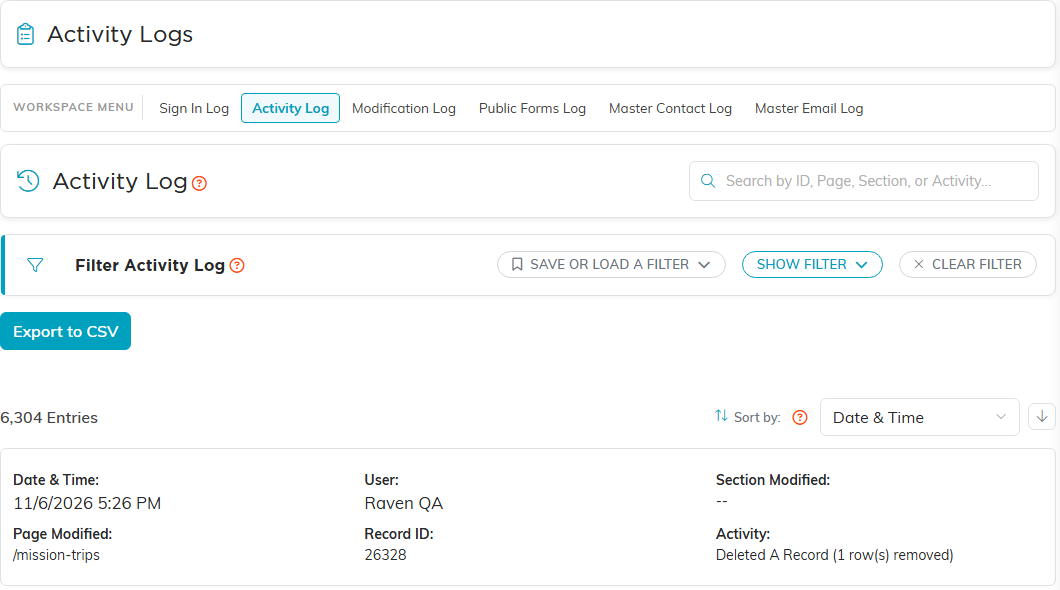
- Filter each log by its own fields: user and date range on the Activity Log, and record type as well on the Modification Log
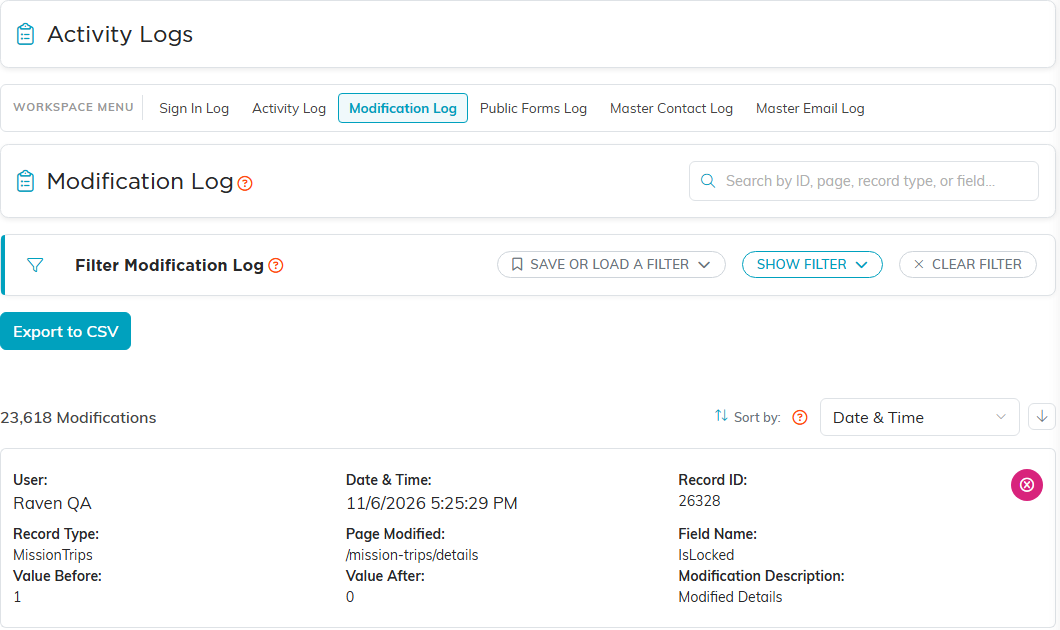
- Export for analysis if needed
What's tracked:
- Who logged in and when
- Records created, modified, or deleted
- Who made each change
- What the old and new values were
- Emails sent and to whom
Use logs to investigate issues, ensure compliance, and maintain accountability.
