Knowledge Base Article
How to Track Background Checks
Argenta tracks background checks in two places, and they are not the same record. Which one you want depends on how much detail you need to hold.
On a volunteer or staff member
This is the short one, for recording that a check happened and when it runs out.
- Open the volunteer or staff member record and click Background Checks.
- Click Add New.
- Fill in Source of Background Check, the organization running it. That is the only field the add screen asks for.
- Click Add & Enter Details. The check starts as Open/Unchecked.
- On the details screen set the result to Passed or Failed, and fill in Date Completed and Details. A volunteer's check also has Date Expires; a staff member's does not.
The list then shows each check's status, Date Completed and Completed by Team Member. On a volunteer it also shows the Source of Background Check and Date Expires, and a red Expired tag once that date has passed. That tag is how you spot the ones needing renewal, so fill in Date Expires or nothing will ever flag. A staff member's checks carry no expiry date, so they never flag.
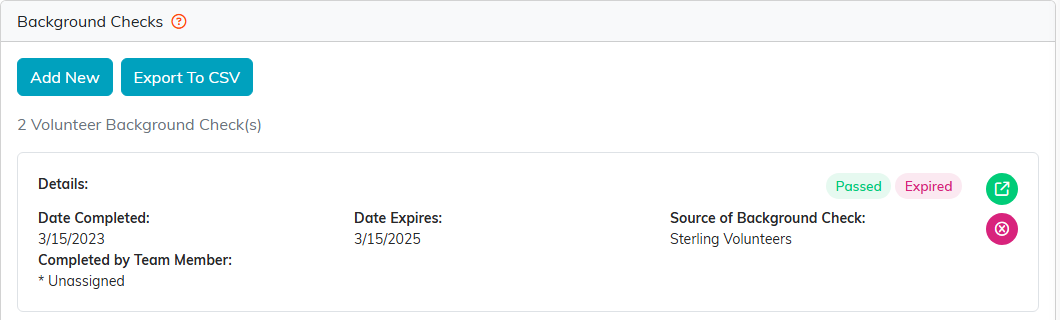
Above the list on a volunteer, Identity For Background Check shows the full name, date of birth, place of birth, last digits of Social Security and maiden or former name, read from the person's constituent record. Change them on the Personal tab.
The full Background Check record
The Background Checks list in the menu holds a fuller record, with Background Check Type, Background Check Category, Outcome of Background Check, Assigned To (Team Member) and Parole or Probation Officer. It also carries an Offenses table, each row with a Date, Offense, Outcome and Jurisdiction.
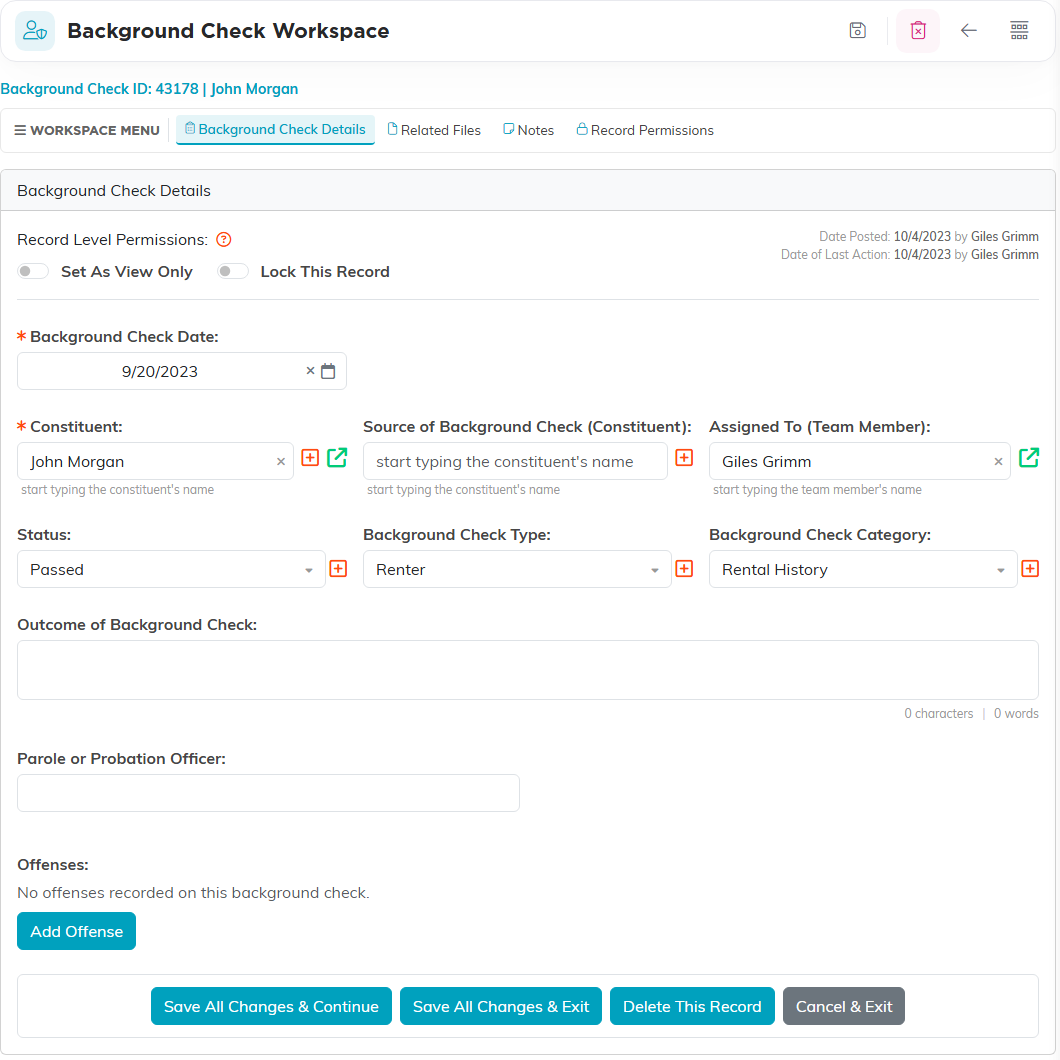
Its workspace has Related Files for the results and signed forms, Notes, and Record Permissions for restricting who can open it. Given what is on these records, set those permissions deliberately.
Worth knowing
There is no background check report in the Report Center, so renewals are watched from the Expired tag on a volunteer's list rather than by running something. There is no check-type field on the volunteer or staff version; that lives on the full record.
