Knowledge Base Article
How to Generate Year-End Giving Statements
Argenta does not have a separate year-end statement report. Year-end giving letters come from Summary Donation Thank You Letters, which totals each donor's donations over a date range and turns the donors you pick into printed letters.
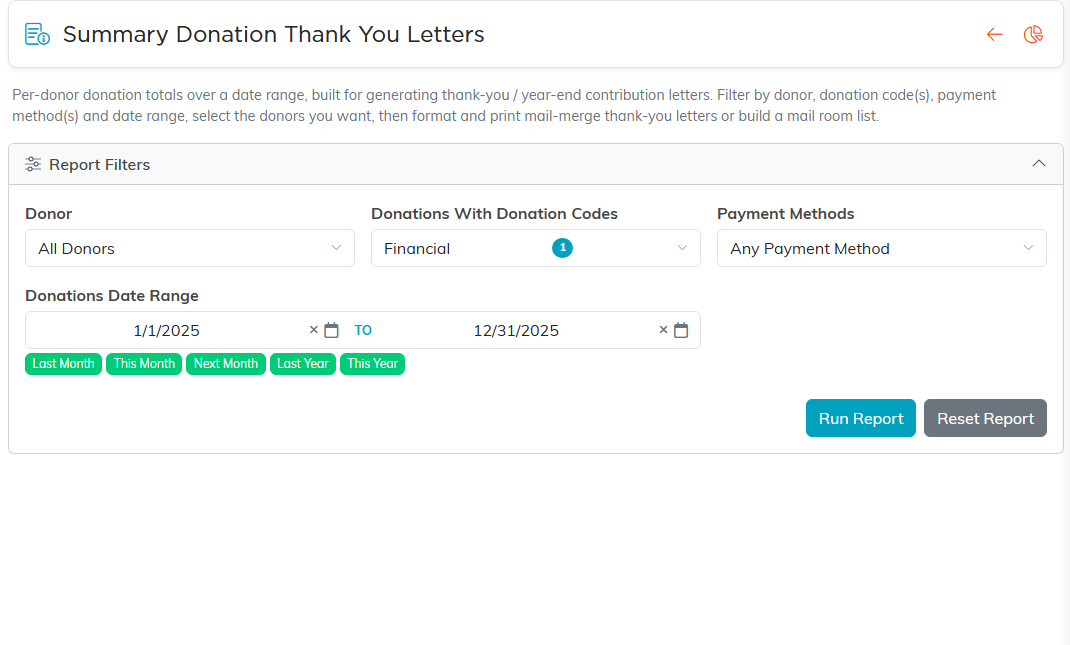
- Open Report Center, choose Fundraising Reports, then Summary Donation Thank You Letters.
- Set Donations Date Range to the tax year, January 1 to December 31. It opens on last year, which is usually the one you want.
- Check Donations With Donation Codes. If your organization has a donation code called Financial, the report starts with it ticked, so only donations coded Financial are totaled. Clear it to total every gift, or tick the codes you want.
- Narrow it by donor or Payment Methods if you need to, and click Run Report.
- Select the donors you want and click Format Selected Records for Printing.
- Fill in the letter: Letter Body, Signature Closing Line, From Name, Staff Position and the rest, tick Print On Letter Head if you want it, then click Create Letters.
If you can export, Export To CSV and Export To Excel give you the same donor totals as a file, for a mail merge of your own.
