Knowledge Base Article
How to Track Pledges vs. Actual Donations
A pledge is a promise to give. A donation is a gift received. They are separate records, and the pledge is where you see how much of the promise has been met.
Recording a pledge
- Go to Pledges and click Add New.
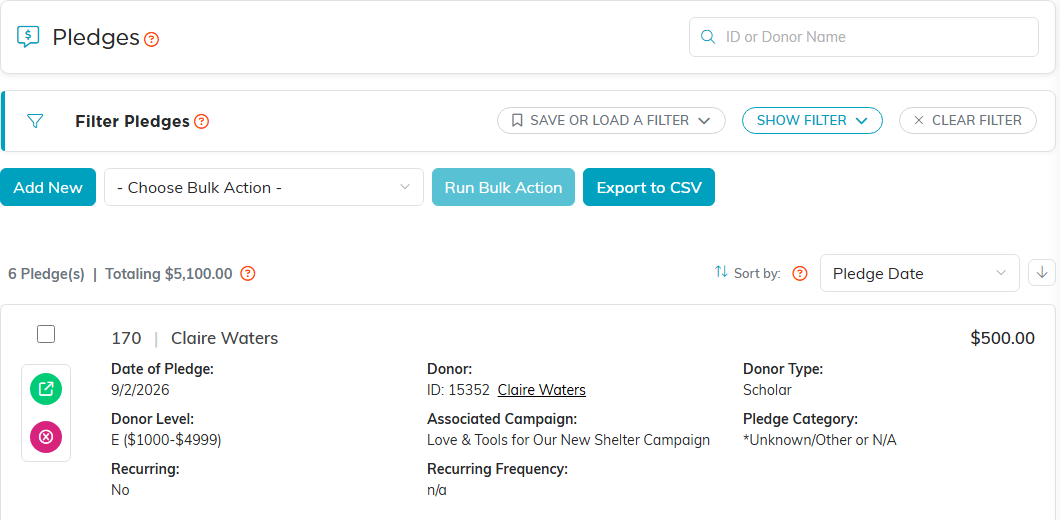
- The Add A New Pledge form asks for three things: Date Of Pledge, Pledge Amount and Donor.
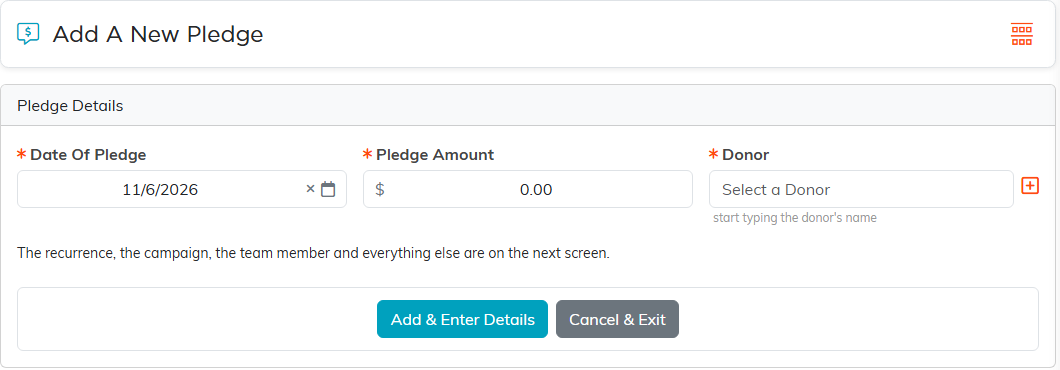
- Click Add & Enter Details, and the pledge workspace opens.
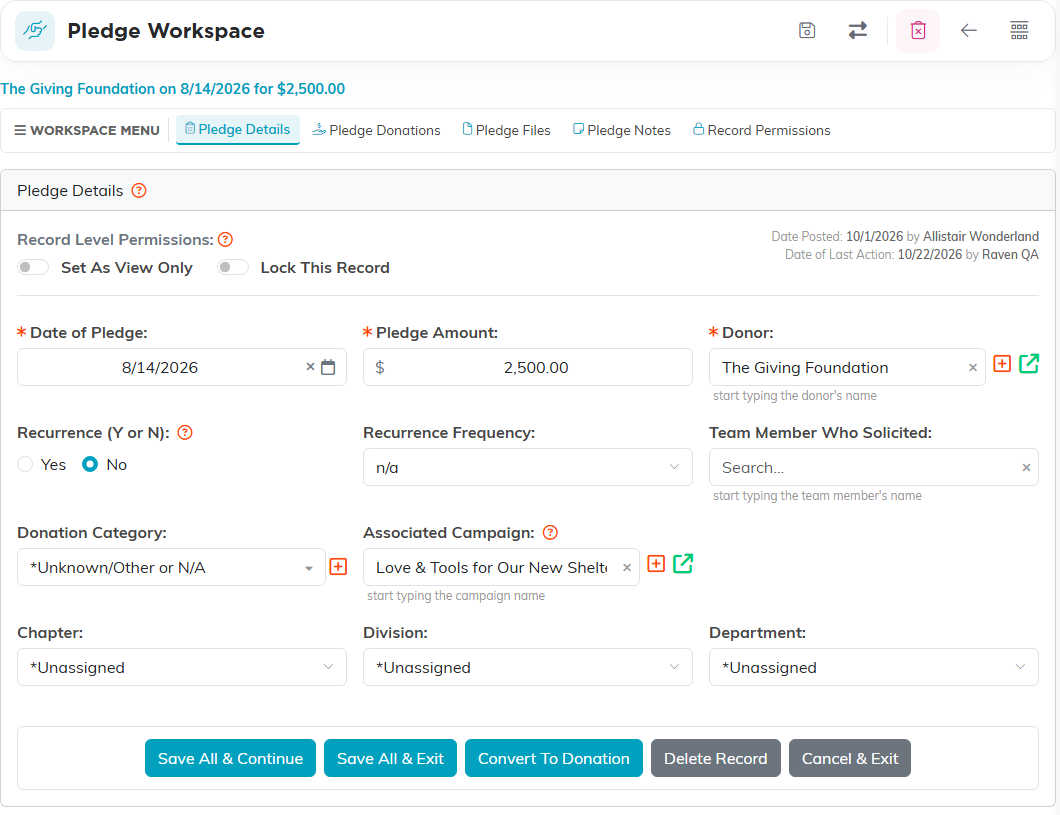
There is no payment schedule on the add form. On Pledge Details you can mark the pledge as recurring with Recurrence (Y or N) and a Recurrence Frequency, and add the campaign, a category and the team member who solicited it. A pledge records what was promised, when, and by whom, not a schedule of the payments due.
Payments against it
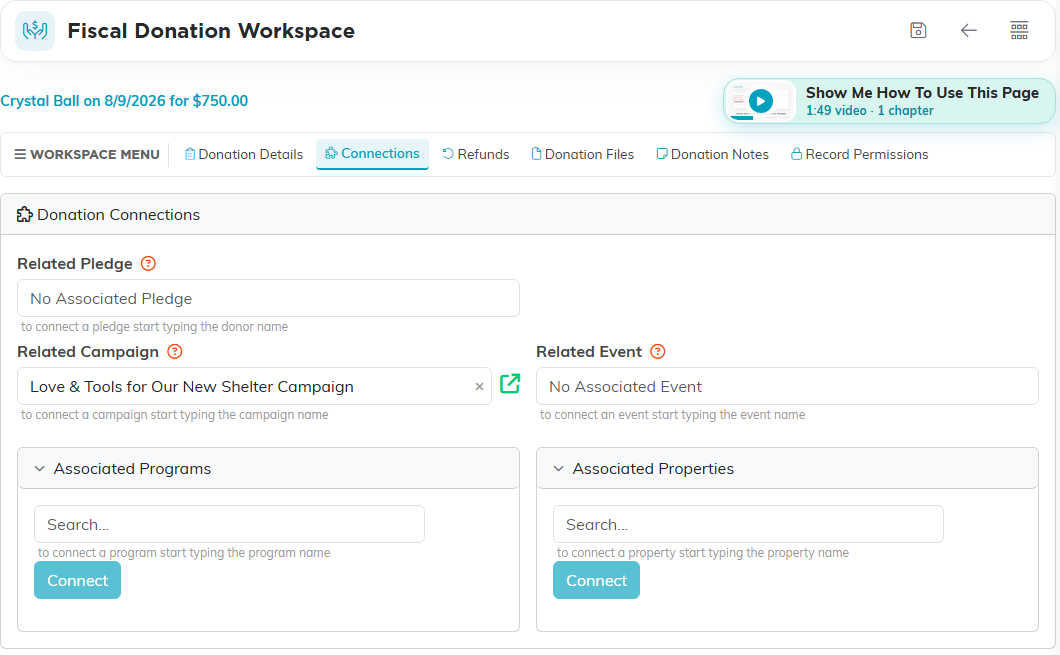
The pledge has its own Pledge Donations page, listing the gifts recorded against it. There are two ways a gift reaches that list. You can enter the donation as normal and pick the pledge in Related Pledge on the donation's Connections page, or you can use Convert To Donation on the pledge, which creates the donation and links it back to the pledge for you.
Reporting
There is one pledge report, Pledge Fulfillment. There is no separate Pledges Outstanding report and no Overdue Pledges report, so if you need those views, work from Pledge Fulfillment or export the pledge list and filter it yourself.
