Knowledge Base Article
How to Send Text Messages (SMS)
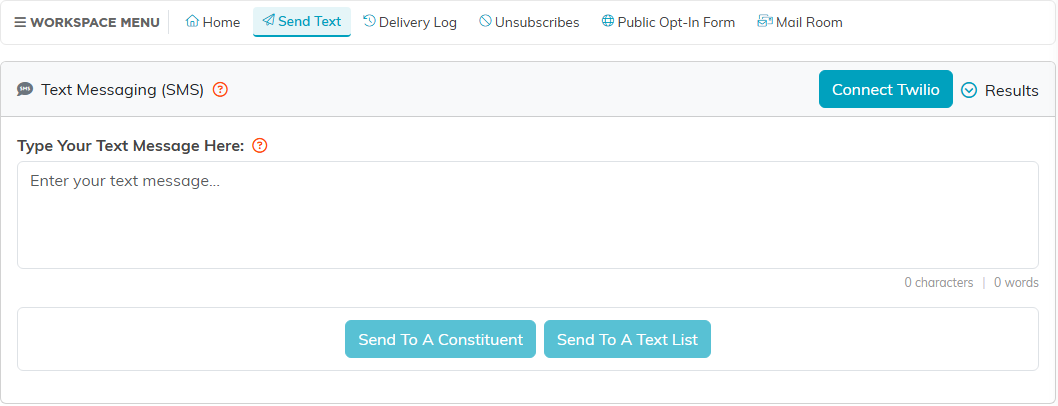
Argenta sends SMS text messages to constituents who have a mobile number. Both the single send and the list send start at Communication > Send Text Messages.
Text one constituent
- Go to Communication > Send Text Messages.
- Write your message in Type Your Text Message Here.
- Click Send To A Constituent, then search for the person and select them.
- Click Send Text To This Constituent.
Text a list
- Go to Communication > Send Text Messages.
- Write your message in Type Your Text Message Here.
- Click Send To A Text List.
- Choose your list under Select A Text List. The page shows how many records it holds.
- Click Send Text To This List.
Before you send
- Texting runs through Twilio. If it is not connected yet, the send buttons stay disabled and the page offers Connect Twilio.
- Anyone marked do not text is dropped from a list send, and a single send to that person is refused.
- Argenta records unsubscribes for you. Unsubscribe Log, under the Results menu at the top right, opens that list; the same menu has Delivery Results.
Go to Communication > Text Message Delivery Log to see what went out and whether it arrived.
