Knowledge Base Article
How to Set Up Classification Codes
Classification codes are the choices in Argenta's dropdown lists, such as donor types, event categories or assistance types. Each code holds your organization's values for one list, and you can add your own and remove the ones you no longer need.
- Click Classification Codes in the left menu. Every code is listed alphabetically, with letters across the top to jump to a section and a Search classification codes box.
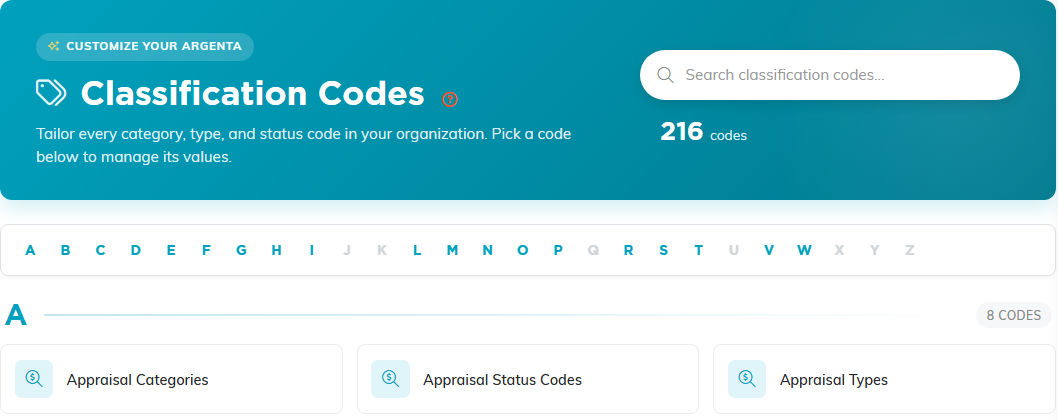
- Click the code you want, such as Assistance Types. Its values appear, each with its number.
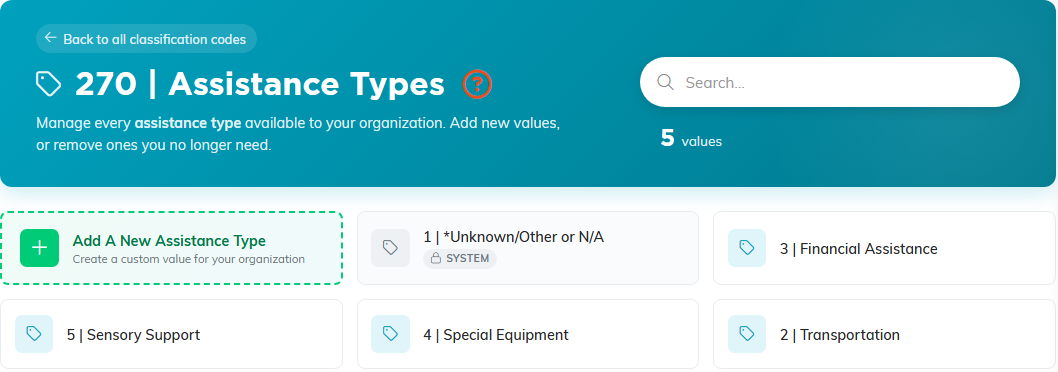
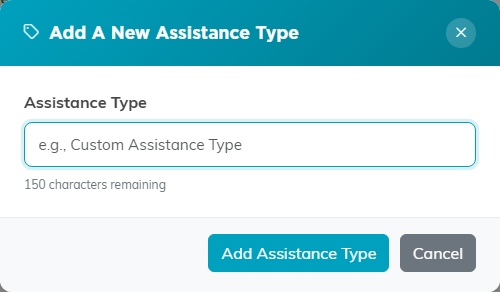
- Click the Add A New tile (for this code, Add A New Assistance Type), type the name, and click the Add button. A count under the box shows how many characters you have left.
Removing a value
Click the delete icon on a value's tile and confirm. The value comes off your organization's list only.
- A value that records still use cannot be deleted. Argenta says where it is used; change those records to another option first.
- Values marked System, such as *Unknown/Other or N/A, cannot be deleted.
- There is no way to rename a value here. Add the new name, move your records to it, then delete the old one.
Note: You need Master Builder or Master Admin to manage classification codes.
