Knowledge Base Article
How to Upload Files and Documents
You can attach files to most records in Argenta, from constituents and donations to events, grants and contracts.
Uploading a File
- Open the record.
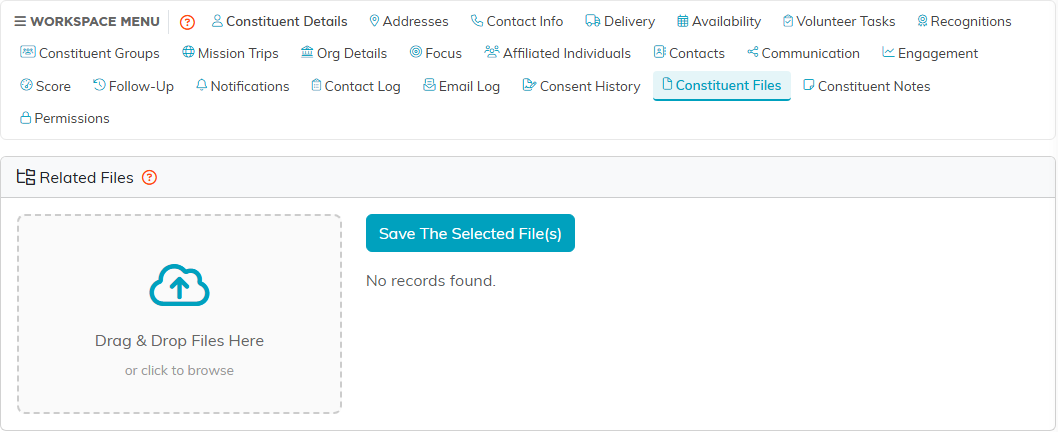
- Click its files tab. It is named for the record you are on, so a donation has Donation Files, a grant has Grant Files, an event has Event Files.
- Drag your files onto the box reading Drag & Drop Files Here, or click it to browse for them. You can pick several at once.
- What you picked appears under Selected Files with a count beside it.
- Click Save The Selected File(s).
The Size Limit
Each file has to be 10 MB or smaller. A larger file is left out the moment you pick it, with a message naming it, and the rest of your files are still added. Make it smaller, then add it again.
Scanned documents are the usual culprit. Scanning at a lower resolution, or saving a long scan as several smaller PDFs, is normally enough.
Photographs are compressed for you after they upload, so you do not need to shrink an image yourself to save room, only to get it under the limit in the first place.
File Types and Names
Argenta does not restrict the type of file you attach. PDFs, Word documents, Excel spreadsheets, images and the rest all work.
Two files with the same name will not overwrite each other, because Argenta makes each stored name unique as it saves. The list and the file you download still show the name you uploaded, and each row shows when it was added and by whom, so two files with the same name can be told apart.
Who Can See an Attached File
The files tab sits inside the record, so whoever can open that record sees the list, and Record Permissions on the record is how you control that.
The file itself is protected at the organization level: someone signed in to your organization can open it, and nobody outside can. Treat an attachment as visible to your organization rather than to one person, and keep anything more sensitive than that out of a record everybody can open.
What People Usually Attach
- Signed agreements and contracts
- Thank-you letters
- Event photographs
- Grant applications and funder correspondence
- Receipts and invoices
Getting the Most Out of It
- Attach the file to the record it belongs to rather than a general one. A receipt on its expense is findable; the same receipt on the constituent is not.
- Name files so they read sensibly in a list, with the date and what the file is.
- Read the message after you drop a batch of files. A file over 10 MB is left out of the list, and the others upload without it.
- Check Record Permissions before attaching anything confidential, not after.
