Knowledge Base Article
How to Add a Volunteer
A volunteer is a constituent you have designated as a volunteer, not a separate person.
- Go to Volunteers and click Add New. The Add A Volunteer page opens, headed Designate A Constituent As A Volunteer.
- Start typing the person's name and pick them. If they are not in Argenta yet, the add icon on that field creates the constituent without leaving the page.
- Click Add Volunteer & Enter Details.
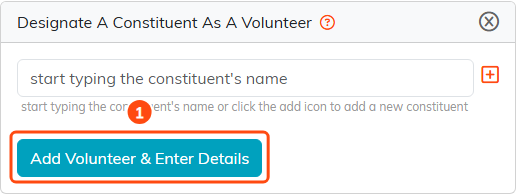
The whole add form: pick the person, then click Add Volunteer & Enter Details.
That is the whole form. It asks for the person and nothing else.
Somebody who is already a volunteer will not appear in the search, and the page says so rather than just coming back empty.
Where the rest lives
Status, skills, availability and interests are not fields on the add form. They are separate pages in the volunteer's workspace, which carries Volunteer Details, Availability, Skills & Experience, Volunteerism Interest, Volunteer Tasks, Training, Background Checks, References, Status Logs, Contact Log and more.

The rest of a volunteer's information lives on these workspace pages.
Because the volunteer is the same record as the constituent, everything you already hold about them — their address, their giving, their event history — stays attached.
