Knowledge Base Article
How to Set Up a Fundraising Campaign
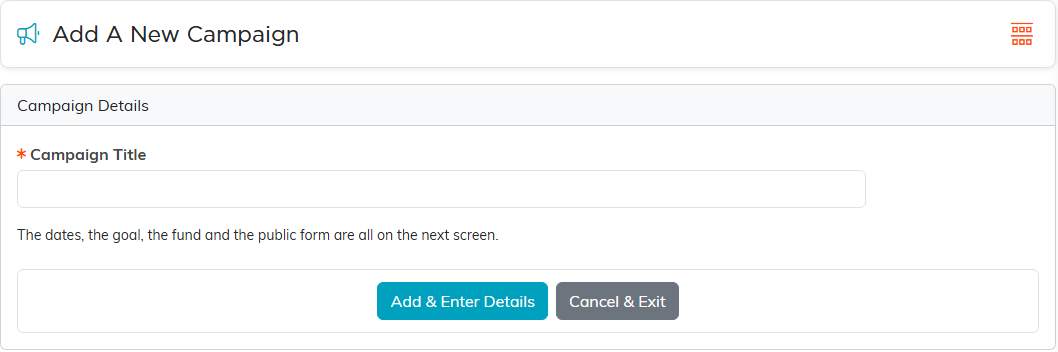
Adding a campaign takes one field. Everything else is set on the next screen.
- Go to Fundraising > Fundraising Campaigns and click Add A New Campaign.
- Enter the Campaign Title. It is the only field on this form.
- Click Add & Enter Details. The campaign is created and opens in its workspace.
The rest is set in the campaign's workspace once it exists. Campaign Details holds the status, start and end dates, owner and Associated Fund. The goal is the Projected Income you enter under Budget & Financials, and the public form is set up on Public Form Design.
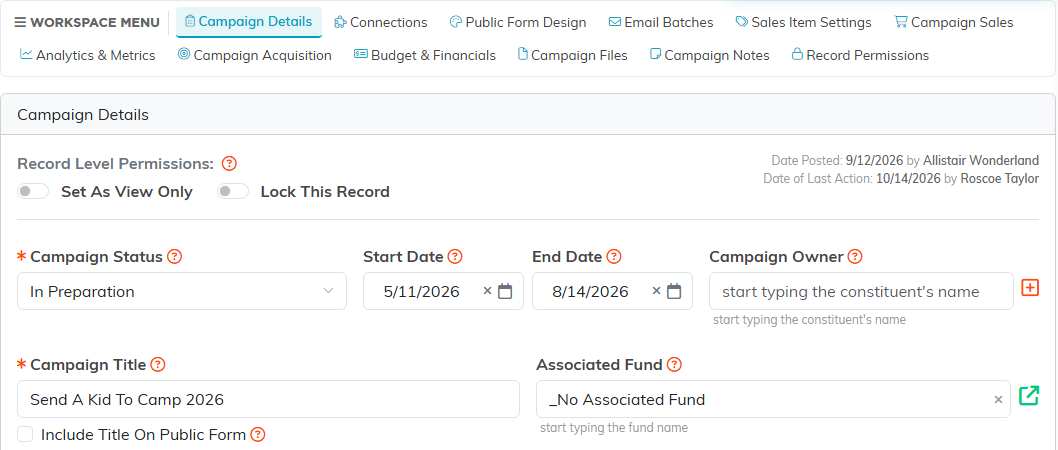
From there you can track the donations it brings in against its goal, connect it to other records, and send email for it.
