Knowledge Base Article
Add Volunteer Needs
Argenta lets you keep track of the specific volunteer needs your organization has, so you can match them to volunteers and report on them.
To manage your volunteer needs, select Volunteerism > Volunteer Needs from the Argenta main menu on the left-hand side.
This opens the Volunteer Needs page, which lists every volunteer need your organization has entered. Volunteer needs are a classification code list, so only admins and master builders can open this page. You can use the Search box at the top to filter the list.
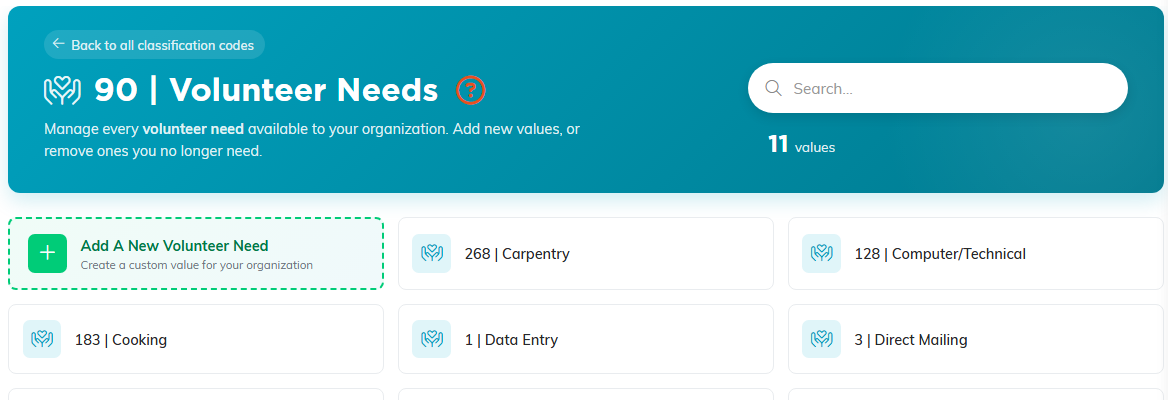
Volunteer Needs. The add tile comes first, marked with a plus.
To add a new one, click the Add A New Volunteer Need tile (the first tile in the list, marked with a plus sign).
A window opens where you can enter the name of the need. Names can be up to 150 characters. Once you have entered a name, click the Add Volunteer Need button to save it. The new need is added and appears in your list right away.
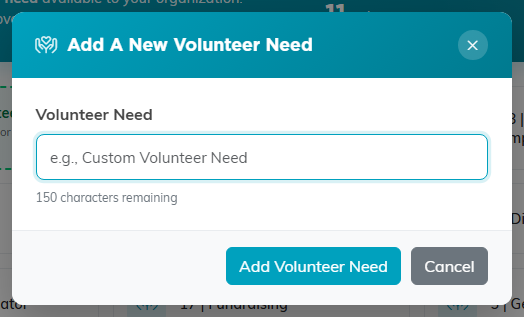
The window counts your characters down as you type.
To remove a volunteer need you no longer use, click the circle-x icon on its tile and confirm. If the need is still assigned to records, Argenta does not delete it: a Cannot Delete message names what still uses it, and nothing is changed. Move those records to a different option first, then delete the need.
