Knowledge Base Article
Add Team Passwords
Team passwords for your organization's accounts can be stored in Argenta rather than in a spreadsheet or somebody's head. Only team members with permission can open the Team Password Keeper.
Add a team password
- Choose Workflow & Productivity > Team Password Keeper from the main menu. Your Team Passwords page opens.
- Click Add A New Password. The Add A New Team Password window opens.
- Fill in the details:
- Source, the website or company the login belongs to. It is required, both when you add the entry and when you edit it later, because it is the only thing naming the row in your list.
- Source Url, the address you sign in at.
- User ID, the ID used to sign in.
- Password.
- Associated Email Address, the address tied to the account. This is the one people always need and never remember, particularly when a password reset has to go somewhere.
- Save the entry.
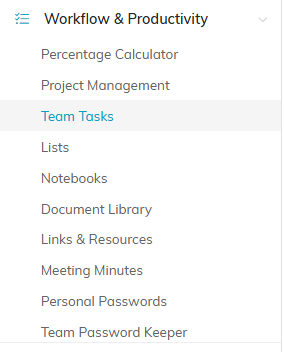
Team Password Keeper sits under Workflow & Productivity in the main menu.

Add A New Password sits above the list, next to the Team Passwords and User Passwords buttons.
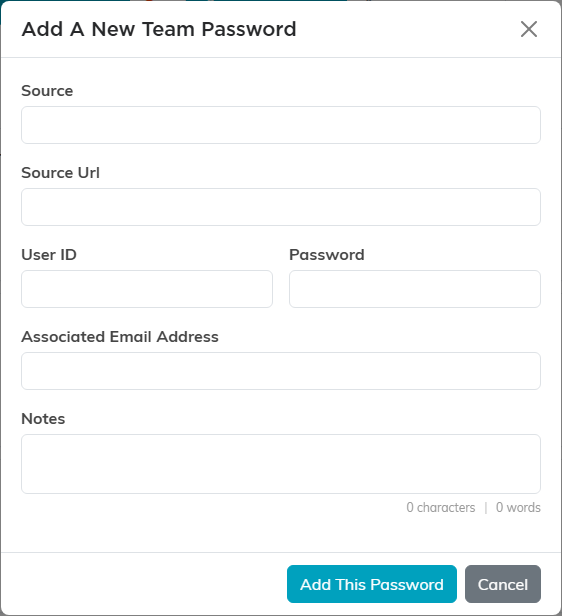
The Add A New Team Password window asks for everything at once.
Fill in the rest of the record
Opening a saved password gives you a few more fields worth using:
- Description, for what the account is actually for and who uses it.
- Chapter, Division, Department, District, and Precinct, so a password belonging to one part of your organization is only visible to the people working there.
Save with Save All Changes or Save All & Exit Record. Exit Record leaves without saving.
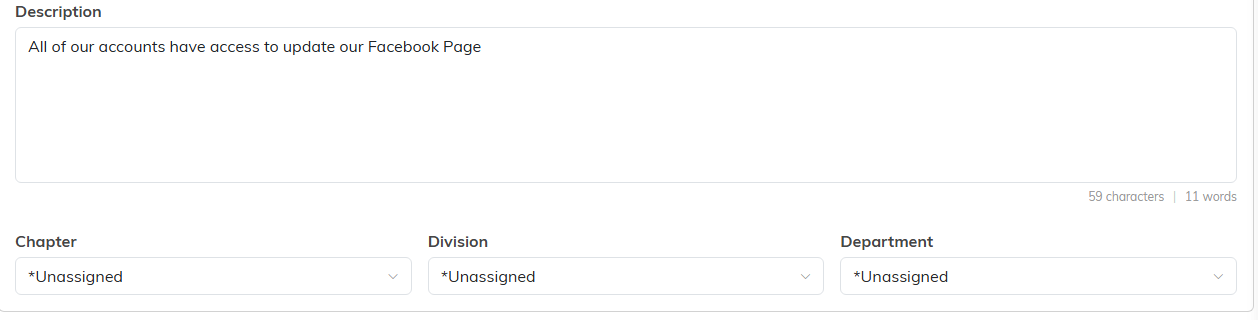
Open a saved password to add a description and set who it belongs to.
Store API keys and tokens
An open password record also carries an API Credentials card for the keys and connection details that go with the account. It has fixed boxes for API Key, API Secret, Bearer Token, Client Secret, Webhook Signing Secret, Client ID and Base URL. The secret ones stay masked, with the same eye and copy icons as the password.
For anything else, click Add Custom Credential and give the row a label and a value. Turn on Secret to mask it. A custom row needs both halves: if only one is filled in, the save stops and tells you which half is missing. A row left completely empty is dropped when you save.
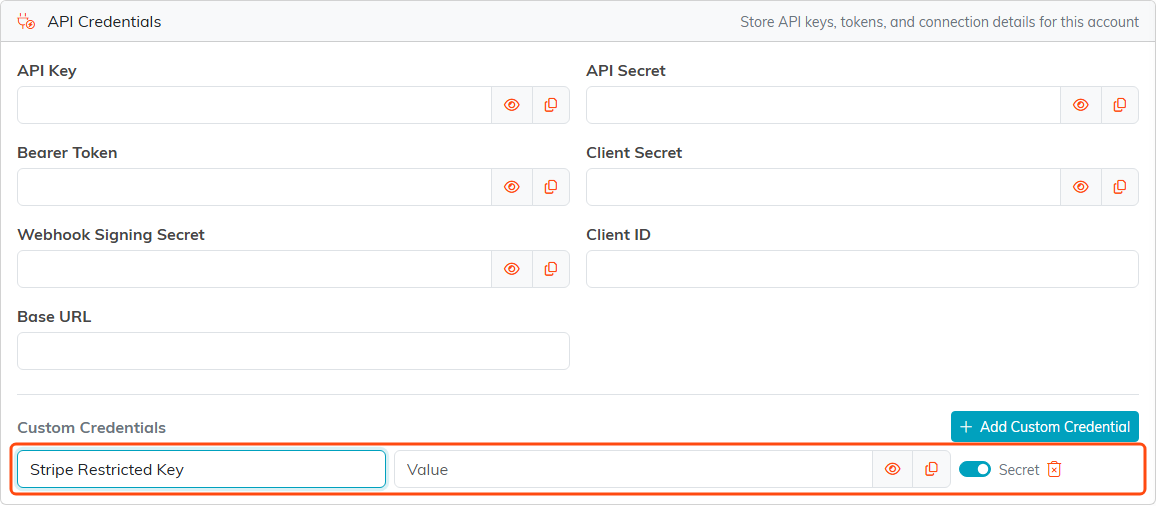
This custom row has a label but no value yet, so Save would stop and ask for the value.
Working with the list
Search by account or source to find an entry. Each row lets you show or hide the password, and copy it without having to read it off the screen. A locked record's row hides its details instead; open it to view or manage it. You can also export the list.

The password stays masked. The eye reveals it and the icon beside it copies it.
Keep it tight
Two switches at the top of each password record control who sees it. Set As View Only lets the team read the entry without changing it, and Lock This Record keeps them out of it entirely, with exceptions named on Record Permissions. Use them on the accounts that should not be open to everybody with access to the keeper.

Both switches sit at the top of the password record.
Move a password between vaults
A login saved in the wrong place does not have to be entered again. The circular arrows on a password row convert the entry to the other vault: Convert To User Password on a team entry, Convert To Team Password on a personal one. Argenta asks you to confirm first, then moves the entry along with its notes and any API credentials. The same control sits at the top of an open password record and on its Record Permissions page.

The circular arrows convert a password to the other vault.
Converting a team password hands a shared login to one person, so the two switches above govern it exactly as they govern editing and deleting. When Argenta refuses, it names what stopped it:
- The record is locked. Untick Lock This Record and save first, or ask a Master Admin.
- The record is view only for you. The person who created it, anyone named on Record Permissions, and Master Admins are not affected.
- It is a personal password belonging to somebody else. Only its owner or a Master Admin can convert that one.
Deleting is refused when the record is locked or view only for you, and tells you why.
For passwords that are yours alone, see Add Personal Passwords.
