Knowledge Base Article
How To Add A New Fund
Nonprofit fund accounting keeps money separated by purpose. Funds arrive from grants, donations, and program revenue, and each often carries its own restrictions, so they have to be accounted for separately to stay transparent and compliant. A fund is simply a designated pool of money set aside for a specific purpose.
Getting There
From the main menu, choose General Financials > Funds. You can search the list by ID or fund name.
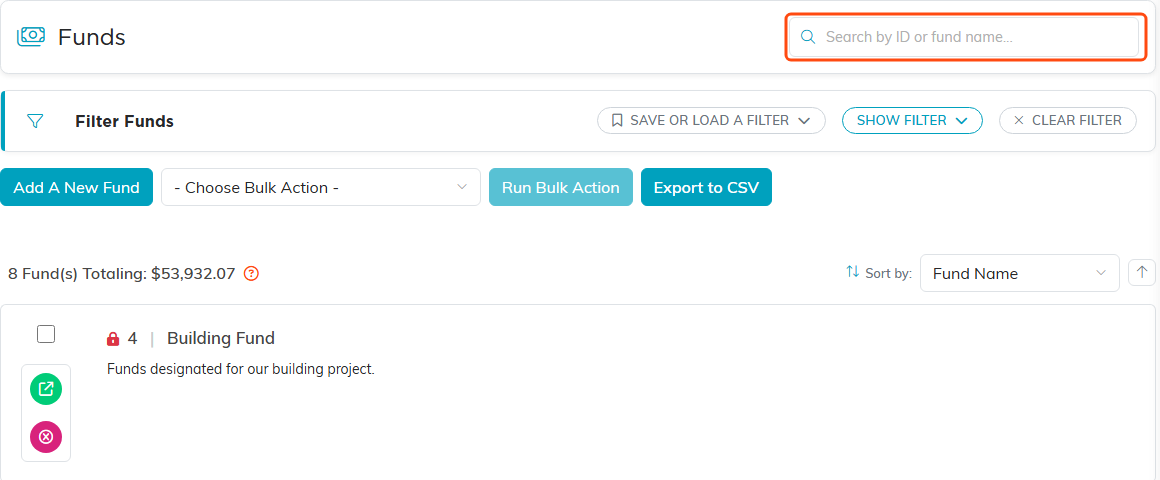
The Funds list. Search by ID or fund name in the box at the top right.
Adding a Fund
- Click Add A New Fund. A short form opens asking for the Fund Name. Fill it in and click Add & Enter Details, and Argenta creates the fund and opens its Fund Details page. Cancel & Exit leaves nothing behind
- Fill in the details:
- Fund Name (required, marked with an orange asterisk). It has to be a name no other fund on your team uses; Argenta ignores capitals and surrounding spaces when it compares, and refuses a duplicate when you save.
- Fund Type: Unrestricted, Temporarily Restricted, Permanently Restricted, or Designated
- Fund Category: Argenta ships with Current Funds, Non-Current Funds, Agency Funds, and Custodial Funds. An admin can add your own with the orange plus beside the field
- Fund Description
- Chapter, Division, and Department, plus District and Precinct for political organizations
- Click Save All Changes & Continue to stay on the record, or Save All Changes & Exit to save and return to your list of funds

Add A New Fund sits above the list.
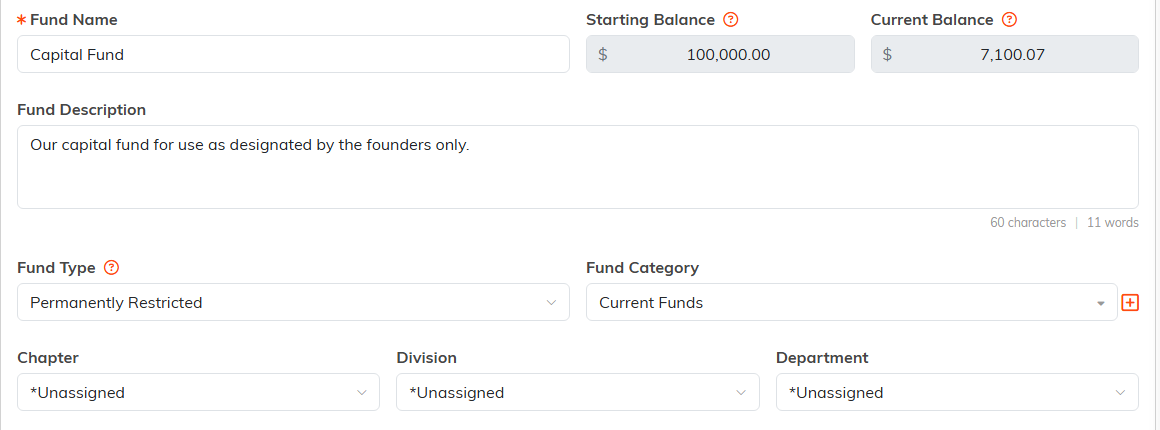
Fund Details. The orange asterisk marks Fund Name as required, and the orange plus (admins and master builders only) beside Fund Category adds a new one.
About the Balances
Starting Balance and Current Balance both appear on Fund Details, and neither can be typed into. Current Balance is calculated from the activity recorded against the fund. Starting Balance is the opening balance brought in when funds are imported, and stays at $0.00 for a fund you add by hand. To change a balance, record the actual transaction: a deposit, an expense, or a fund transfer. That way the number always has something behind it.

Both balances are shaded because you can't type into them.
Choosing a Fund Type
- Unrestricted: you may use it for any purpose
- Temporarily Restricted: the donor limited its use or timing, and the restriction lifts once you meet it
- Permanently Restricted: the restriction never lifts, as with an endowment
- Designated: your own board set the purpose, rather than a donor
Getting this right at setup keeps your funds easy to sort and filter, and matches how your accountant will classify the money.

Fund Type sits beside Fund Category on Fund Details.
Deleting a Fund
Use Delete This Record at the bottom of Fund Details, or the trash icon in the title bar. Consider carefully first, since a fund with history is usually better kept than removed. In practice a fund that is in use cannot be deleted at all: Argenta refuses it when anything is attached to the fund, including transactions such as deposits and expenses, a campaign, a campaign sale, an event, an event ticket, a budget item, a fund transfer, a grant payable, a mission trip type, a public form transaction, or a chapter or department. It names the record type that is blocking it, so you can decide whether to move that record to another fund first. One fund is refused whatever you do: the placeholder named _No Associated Fund, which Argenta posts to when a transaction has no fund of its own. It stays whether or not anything is attached to it.

Delete This Record sits at the bottom of Fund Details.
Moving Money Between Funds
Use General Financials > Fund Transfers. Transfers record the movement on both sides rather than you editing balances by hand.
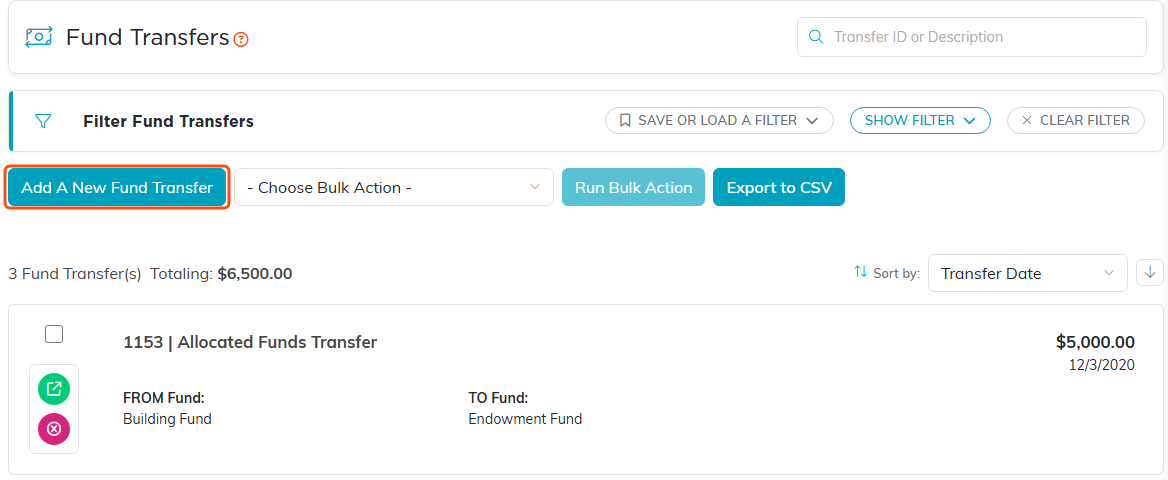
Fund Transfers records the movement on both sides.
