Knowledge Base Article
How To Manually Enter Recurring Donations
Most recurring donations start on a public donation form, when the donor chooses to make their gift recurring. You can also mark an existing donation as recurring yourself. This is handy for tracking a commitment that Argenta will not charge automatically, like a donor who has pledged to mail a check every month. Keep in mind that Argenta does more than track it: on each due date it adds a new donation for that donor and books it to your ledger, whether or not the check has arrived.
When you open a donation, it tells you right away whether it is recurring.
- If the donation is recurring, you will see This Donation IS Auto-Recurring along with its frequency (Weekly, Bi-Weekly, Monthly or Annually). There is nothing more to add.
- If the donation is not recurring, you will see This Donation IS NOT Auto-Recurring, along with a Make Recurring button.

A donation that already recurs says so, with its frequency and no button to add one.

One that does not recur gives you the Make Recurring button.
To make a donation recurring:
- Open the donation and click Make Recurring.
- In the Add A New Recurring Donation window, choose a frequency: Monthly or Annually.
- Click Add Recurring Transaction.
You can review every recurring donation under General Financials > Recurring Donations (it also appears under Fundraising).
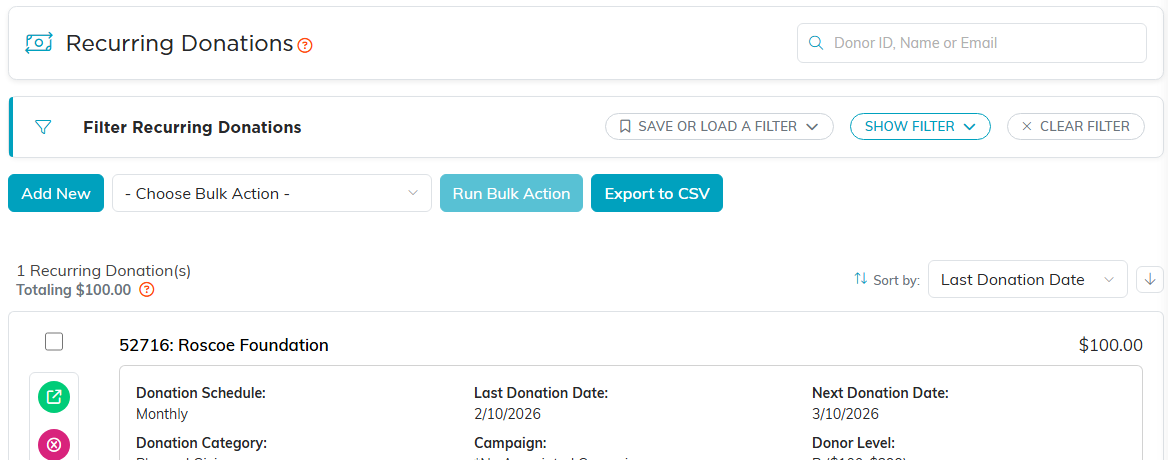
Recurring Donations, with each schedule and the next donation date.
