Knowledge Base Article
Stripe Payouts - How They Work and Where to Find Them in Argenta
When someone donates or pays you online, the money does not arrive in your bank account one transaction at a time. Stripe collects your transactions, subtracts its processing fees, and sends you the net amount in a batch. That batch is a payout.
How a Payout Is Built
- Gross Amount: what the donor or customer actually paid
- Stripe Fees: what Stripe charges to process it
- Net Amount: gross minus fees, which is what reaches your bank
This is why your bank deposit rarely matches your donation total exactly. The gap is the processing fee, and Argenta records all three numbers so you can prove it.
Where to Find a Payout in Argenta
A Stripe payout comes into Argenta as a Deposit.
- Go to General Financials > Deposits
- Open the deposit you want
- Click Stripe Transactions in the workspace navigation
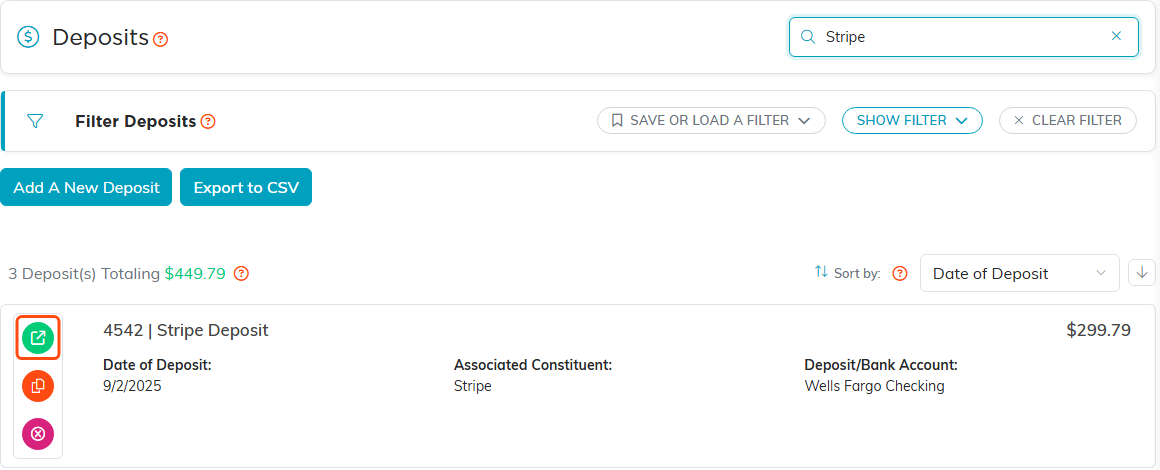
Step 1. A Stripe payout arrives in Argenta as a deposit.

Step 3. Stripe Transactions sits in the deposit's workspace navigation.
That page shows the Stripe Payout ID, how many transactions are in the payout, and the payout total. Below that is every transaction that made up the payout, with the constituent's name and email, the description, the transaction ID, a link to the record, the transaction date, the Transaction Amount, the Stripe Fees and the Net Amount.
Click Export Transactions to pull that detail into a spreadsheet. The export also carries each transaction's type and the Fund it was assigned to. You see the button only if you can export.

The Stripe Transactions page, with Export Transactions at the top right.
When a Payout Appears in Argenta
Argenta brings payouts in overnight, between roughly 1:45 and 5:15 in the morning. So a payout Stripe sends during the day is picked up that night and is there the next morning, rather than appearing part way through the day you are working.
If a night is missed, the next one picks it up and looks back four days, so a payout arrives a day late rather than being lost. Nothing needs to be re-run by hand.
Looking at Stripe Activity Across All Payouts
To see Stripe transactions without going deposit by deposit, go to General Financials > Stripe Transaction Log. You can filter by constituent, transaction date, and amount range, and export the list. It carries the same gross, fees, and net figures plus the Stripe Charge, Transaction, and Customer IDs.
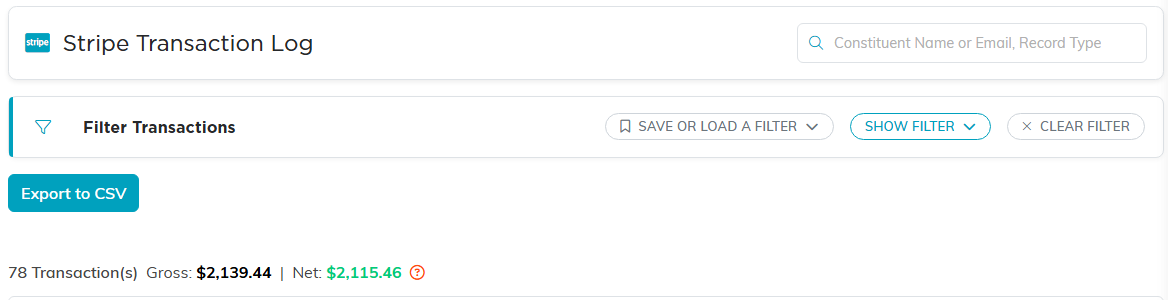
The Stripe Transaction Log, with the gross and net totals above the list.

Each row carries the Transaction Amount, the Stripe Fees, and the Net Amount.
Reconciling a Payout
- Find the deposit amount in your bank statement
- Open that deposit in Argenta and check the payout total on the Stripe Transactions page
- If the two match, the payout is reconciled
- If they do not, compare transaction by transaction. Refunds and disputes are the usual reason a payout comes in lower than expected
Changing When You Get Paid
Your payout schedule and the bank account Stripe pays into are settings on your Stripe account, not in Argenta. Sign in to your Stripe dashboard to view or change them, and to see payouts Stripe has scheduled but not yet sent.
