Knowledge Base Article
How to Find and Fix Data Quality Issues in Your Constituents
Data Quality keeps checking your constituent records for possible duplicates, missing contact information, email addresses and phone numbers that cannot be right, and extra spaces at the start or end of names and contact details. It lists what it finds for you to fix, keep, snooze or dismiss. It never merges records or fills in information on its own.
Data Quality is for admins and Constituent Managers. Open Constituents and click Data Quality at the top of the list.
Choose what to check
The Checks card holds your team's settings.
- Turn on Check This Team's Records.
- Turn on the checks you want: Possible Duplicates, Missing Contact Information, Email Addresses, Phone Numbers and Extra Spaces.
- Under Required Contact Information, tick what every record should have: Email, Phone or Mailing Address. Records missing one are listed under Missing Contact Information.
- Set how often to look at records that changed, in Check Changed Records Every (Minutes), and how often to look at every record again, in Recheck Every Record Every (Days).
- Click Save Settings.
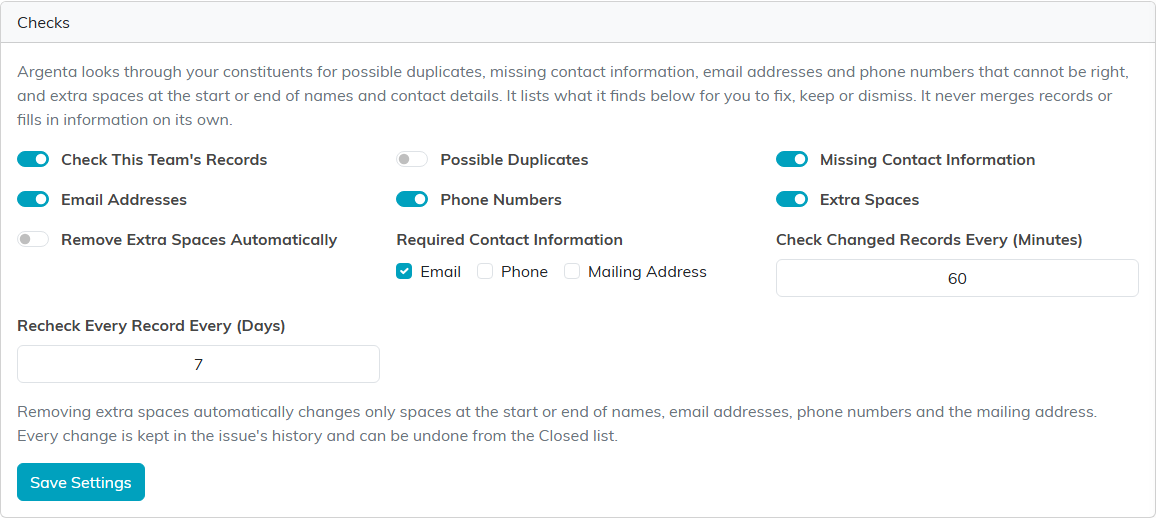
Remove Extra Spaces Automatically lets Argenta take spaces off the start and end of names, email addresses, phone numbers and the mailing address without asking. It changes nothing else, and every change it makes is kept in the issue's history and can be undone from the Closed list.
Watch the scan
Once the checks are on, Argenta works through every record in the background, then keeps looking at records as they change. The Scan card says when every record was last checked and lists the latest checks, with how many records each looked at, how many issues it found and how many it resolved.
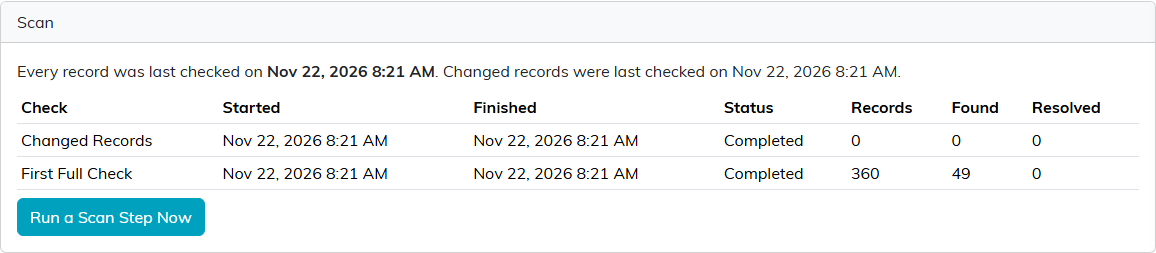
Until the first full check finishes, the card says so, because records not checked yet may have problems that are not listed. Run a Scan Step Now checks the next batch straight away instead of waiting.
Work through the issues
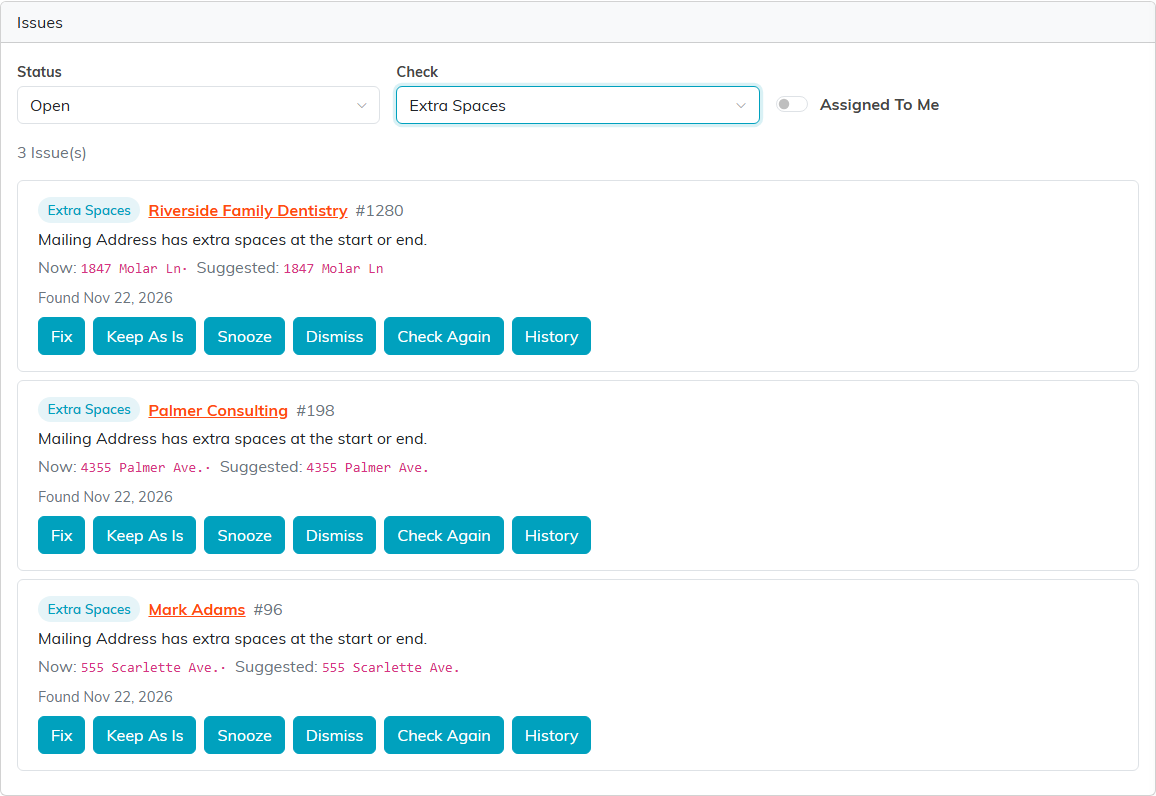
The Issues list shows what was found. Filter it by Status (Open, Snoozed, Closed or All) and by Check, or turn on Assigned To Me. Each issue names the record and says what is wrong.
What you can do depends on the issue:
- Extra spaces. The issue shows the value now and the suggested value. Fix makes the change, and Keep As Is leaves the value alone. A fix can be undone later with Undo on the closed issue.
- Possible duplicates. The issue lists the records that may be the same person, with how confident Argenta is. That is an estimate, not proof. Review Merge opens the records to merge them yourself, and Not Duplicates says they are different people.
- Missing contact information, email addresses and phone numbers. Open Record takes you to the record to fix it.
Every open issue also has:
- Snooze: hides it for one week, one month, three months or six months.
- Dismiss: closes it, with a note saying why.
- Check Again: looks at the record now, so an issue you have already fixed closes.
- History: shows everything done to the issue, with the value before and after each change, and lets you assign it to someone on your team.
A snoozed, kept, dismissed or not-duplicate issue can be brought back with Reopen.