Knowledge Base Article
How to Draft an Email Template From a Lead
The Draft An Email tab on a lead or opportunity writes a first draft of an email template from what the lead's record says. Anything that changes from person to person, like a first name, goes in as a merge tag, so you can use the template again for other people. You review and edit the draft, then save it as an ordinary email template. Nothing is saved or sent until you save it, and nothing is ever sent from this tab.
The tab is for admins and Marketing Managers. It is not available to a login that is view-only, or on a lead that is locked or set to view only for you.
Write the draft
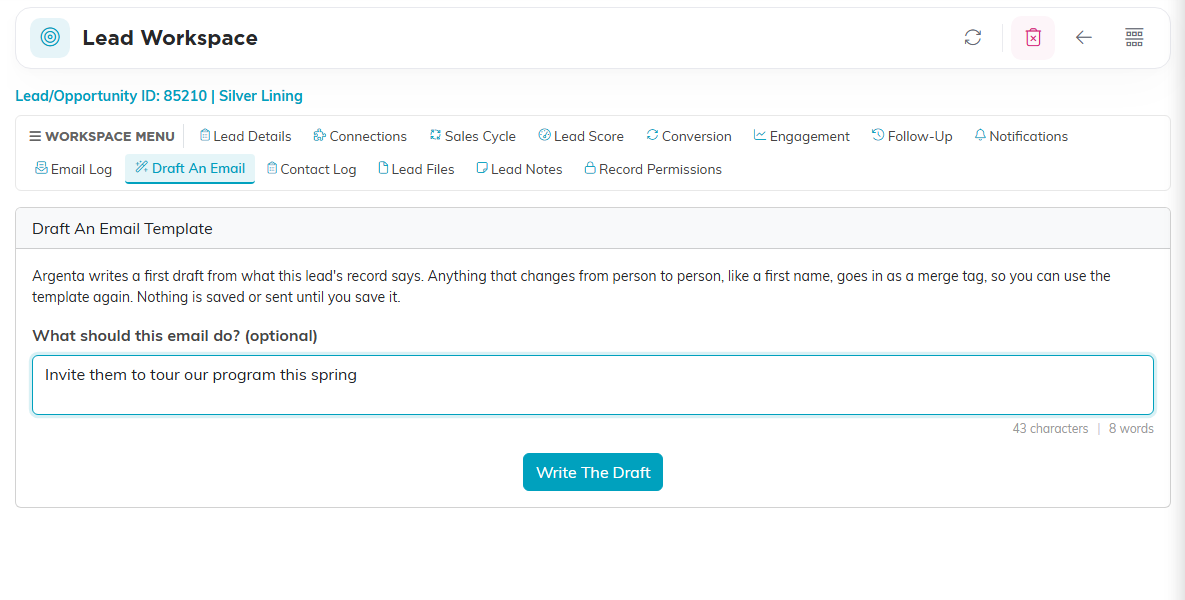
- Open the lead and click Draft An Email in the workspace menu.
- In What should this email do?, say what you want, for example "Invite them to tour our program this spring". This is optional.
- Click Write The Draft. It takes a few seconds.
Review and save it
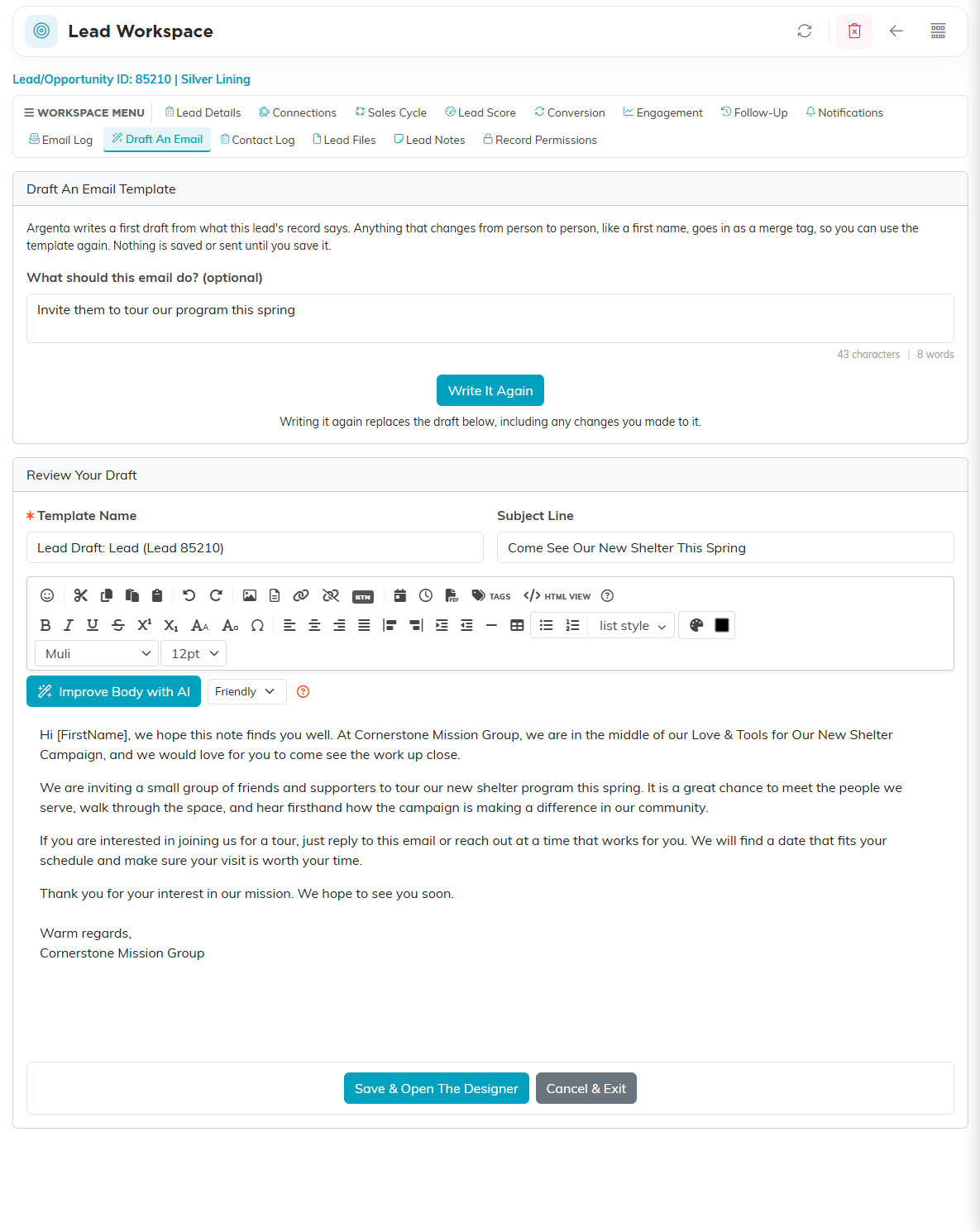
The draft appears under Review Your Draft with a Template Name, a Subject Line and the body in the editor, where you can change anything. Merge tags such as [FirstName] are filled in for each person when the template is sent.
If the draft holds a word in square brackets that is not an Argenta merge tag, a warning names it, because it would be sent exactly as typed. Change or remove it before you save.
Click Save & Open The Designer to save it as an email template and open it in the email designer, where you use it like any other template. Cancel & Exit leaves without saving. Write It Again writes a fresh draft, replacing the one below along with any changes you made to it.
What Argenta reads from the lead
The draft is written from the lead's type, status, source, category, campaign, description, competition, outcome and last contact date, your organization's name, and your note. The person's name, email, phone and address are not used; the draft gets merge tags for those instead. Email addresses and phone numbers typed into the description, competition, outcome or your note are removed before the draft is written.
Read the draft before you save it. Argenta is told not to invent dates, prices or promises the record does not hold, but you know the lead best.